AD

วันนี้ท่านมีโปรแกรมป้องกันใวรัสหรือยัง หรือถ้ามีแล้ว...ดีพอไหม

วันเรามีโปรแกรมป้องกันใวรัสที่ดีที่สุด นอกจากป้องกันใวรัสได้แล้วยังป้องกันสปอ-หนอง-สปาแวต่างได้หมด

คลิดชมด้านล้างได้เลยนะคะ

http://magamenpc.igetweb.com/index.php?mo=10&art=295684

หรือ

http://magamenpc.blogspot.com/2009/05/antivirus.html

ตั้งแต่วันที่ 20 มิถุนายน 2552 MagaMenPc เตรียมเปิดตัวมุมสินค้าใหม่

มุมถู้ก..กูก

พร้อมกับสินค้าราคาลดกระหนัมไม่กลัวฟ้าฝน กัยสินค้าลดตั้งแต่ 10-50เปอร์เซ็น

เร็วๆๆนี้


MagaMenPc ศูนย์รวมสินค้าออนไลน์

MagaMenPc
ศูนย์รวมสินค้าออนไลน์

MagaMenPc ศูนย์รวมสินค้าออนไลน์

MagaMenPc ศูนย์รวมสินค้าออนไลน์

เราพร้อมแล้ว


เปิดชื่อ-ขาย เต็มรูปแบบ


ศูนย์รวมสินค้าออนไลน์ คุณภาพMester ราคาเป็นกันเอง มากมายแห่งใหม่ รวมสินค้าใหม่ๆ มากมาย


ศูนย์รวมสินค้าออนไลน์ คุณภาพMester ราคาเป็นกันเอง มากมายแห่งใหม่ รวมสินค้าใหม่ๆ มากมาย


ฉลองเปิดสาขาใหม่ประเทศไทย เปิดรับสมัคร ID เพื่อใช่ในการสั่งสินค้า

ด่วนสมัครรับหมายเลข ID ฟรีและ รับส่วนลดพิเศษฟรี ตั้งแต่ครั้งแรกที่ชื่อ

วันนี้ถึง 31 มิ.ย. 52 เท่านั้น


โปรโมชั่น

โปรโมชั่นใหม่ มาแว้วจ้าาา 090601 วันนี้-30มิ.ย.52

ชื้อ ครบ 350 บาท แถม สินค้ามูลค่า(50บาท หรือตำกว่าราคา)

ชื้อ ครบ 450 บาท แถม สินค้ามูลค่า(100บาท หรือตำกว่าราคา)

ชื้อ ครบ 550 บาท แถม สินค้ามูลค่า(150บาท หรือตำกว่าราคา)

ชื้อ ครบ 660 บาท แถม สินค้ามูลค่า (175-220 บาท หรือตำกว่าราคา)

ให้บอกสินค้าที่ต้องการแถม ต่อท้ายที่อยู่ของท่านตอนกรอกใบสั่งชื่อใต้ตารางนะ


ฟรี ! ค่าจัดส่งทางไปรษณีย์ภายในประเทศ เฉพาะสินค้ารวมต้องมีจำนวนเงิน 300 บาทขึ้นไป


พิเศษ...สมัครรับIDฟรี 50คนแรก รับส่วนลด 50-25เปอร์เซ็น(เฉพาะการสั่งชื่อ 5 รายการสินค้าขึ้นไป)

ตัวอย่าง1 เช่น ชื่อ5รายการ 2รายการแรกลด 50 เปอร์เซ็น
3รากการหลังลด 25 เปอร์เซ็น

ตัวอย่าง2 เช่น ชื่อ 10 รายการ 2รายการแรกลด 50 เปอร์เซ็น
8รากการหลังลด 25 เปอร์เซ็น

**หากรวมราคาเกิน350บาท แถม สินค้ามูลค่า(50บาท หรือตำกว่าราคา)

ครบ 450 บาท แถม สินค้ามูลค่า(100บาท หรือตำกว่าราคา)

ครบ 550 บาท แถม สินค้ามูลค่า(150บาท หรือตำกว่าราคา)

ครบ 660 บาท แถม สินค้ามูลค่า (175-220 บาท หรือตำกว่าราคา)

***หากรวมราคาต่ำกว่า 300 บาท ต้องคิดค่าจัดส่งอีก 50 บาท

ติดต่อ

โทรแจ้งการโอนเงินอีกทีก็ได้หากไม่แน่ใจ

มีปัญหา

Email: magamenpc@gmail.com

magamenpc@windowslive.com

ดูข้อมูลการติดตัง

ดูข้อมูลการติดตั้ง

-เกม
-โปรแกรม
-วินโด
-อื้นๆๆ
ที่
magamenpc.igetweb.com

*

โอนเงินแล้วแต่ทางเราไม่ได้ใส่ข้อมูลว่าท่านโอนเงินแล้วกรุณาโทรแจ้ง

ใบสมัครขอรับ ID ฟรี

ID คืออะไำร

คือหมายเลขประจำตัวของท่านเพื่อใช่ในการสั่งสินค้า และตรวจสอบบนเว็ป โดยไม่ต้องขึ้นชื้อท่าน

อีกทั้งยังใช่รวมสนุกและสิทธิเศษจากทางเมก้าเม็นพีซีตลอดทุกเดือน

และอีกมากมายรอท่านอยู่


(ก็อบข้อมูลใบสมัครขอรับ ID ฟรี ส่งทางE-mail ไปที่ magamenpc@windowslive.com)

--------------------------------------------------------------------------------

ใบสมัครขอรับ ID ฟรี

ชื่อ/นามสกุล...................................................................................

อีเมล์...............................................................................................

ที่อยู่ (ที่จะจัดส่ง) เลขที่..............หมู่ที่............................

ตรอก/ซอย.................................................ถนน...............................

ตำบล/แขวง........................อำเภอ/เขต...........................................................

จังหวัด.............................รหัสไปรษณีย์.....................

โทรศัพท์.....................................โทรสาร...............................


รายชื่อสมัคร ID

รายชื่อสมัคร ID
ลำดับ สถานะ
000001 กำลังเลือกสั่งสินค้า
000002 กำลังเลือกสั่งสินค้า
000003 กำลังเลือกสั่งสินค้า
000004 กำลังเลือกสั่งสินค้า
000005 กำลังเลือกสั่งสินค้า
000006 เลือกสั่งสินค้าแล้ว-รอการโอนเงิน-รอส่งสินค้า
000007 กำลังเลือกสั่งสินค้า
000008 กำลังเลือกสั่งสินค้า
000009 กำลังเลือกสั่งสินค้า
000010 กำลังเลือกสั่งสินค้า
000011 กำลังเลือกสั่งสินค้า
000012 กำลังเลือกสั่งสินค้า
000013 เลือกสั่งสินค้าแล้ว-รอการโอนเงิน-รอส่งสินค้า
000014 กำลังเลือกสั่งสินค้า
000015 กำลังเลือกสั่งสินค้า
000016 กำลังเลือกสั่งสินค้า
000017 เลือกสั่งสินค้าแล้ว-รอการโอนเงิน-รอส่งสินค้า
000018 กำลังเลือกสั่งสินค้า
000019 กำลังเลือกสั่งสินค้า
000020 กำลังเลือกสั่งสินค้า
000021 กำลังเลือกสั่งสินค้า
000022 เลือกสั่งสินค้าแล้ว-รอการโอนเงิน-รอส่งสินค้า
000023 กำลังเลือกสั่งสินค้า
000024 กำลังเลือกสั่งสินค้า
000025 กำลังเลือกสั่งสินค้า
000026 เลือกสั่งสินค้าแล้ว-รอการโอนเงิน-รอส่งสินค้า
000027 กำลังเลือกสั่งสินค้า
000028 กำลังเลือกสั่งสินค้า
000029 จัดส่งสินค้าแล้ว
000030 กำลังเลือกสั่งสินค้า


วันศุกร์, พฤษภาคม 29, 2552

โปรแกรมตัดต่อ

โปรแกรมตัดต่อ


Edius 5 11 Super Pack 2009

โปรแกรมตัดต่อวีดีโอระดับมืออาชีพ รองรับ Formats SD


Edius 5.11 Super Pack [2009]โปรแกรมตัดต่อวีดีโอระดับมืออาชีพ รองรับ Formats SD, HD, HDV, DV, MPEG-2 and MPEG-1 real-time


System requirements:

Intel ® Pentium ® 4 3.0GHz CPU or faster (Intel Xeon ® 2.8GHz dual processors recommended for HD / HDV editing, Hyper-Threading supported)

512MB RAM (1GB RAM recommended)

800MB free disk space for the application

DVD-ROM drive for software installation

Windows ® XP Home or Windows XP Professional (Service Pack 2 or later)

DirectX 9.0 or later

Graphics card with hardware-based DirectDraw overlay and 32-bit color display at a 1024x768 resolution (128MB of graphics memory is required when editing in HD resolution)

ATA100/5400rpm or faster hard disk recommended (Ultra SCSI 160 or better is required for playing two or more uncompressed video streams simultaneously)

One free USB port (1.1 or higher) for software protection key

Soundcard


EDIUS 5.1: new opportunities for non-linear video editing

It supports the processing of uncompressed video formats in SD, HD, HDV, DV, MPEG-2 and MPEG-1 real-time. The program provides the opportunity to work with an unlimited number of layers that contain audio, video, data or effects. Projects created in EDIUS, can save by using your own codec Canopus HQ, which is able to encode at a variable bit rate.


Among the innovations of this version include:

Superior tool for normalizing sound recording of finished projects to multiple disks, improved markers with clips, the support clips captured with the help of P2 and XDCAM.


The composition of fixed

Fixed an issue where a crash may occur when working with the audio mixer

Fixed an issue where a crash may occur when working with sequence clips

Fixed an issue where a crash may occur when using the Old Movie filter

Fixed an issue where a crash may occur when working within the Player window

Fixed an issue where a crash may occur when using a Picture-in-Picture keyer

Fixed an issue that would cause clips to appear offline when loading a project

Fixed an issue with improper rendering of key frames used in the video layout tool

Fixed issues associated with selecting DV AVI as the rendering format

Fixed an issue with exporting some AAF files

Fixed an issue with application installation conflicting with the Windows Update service (resulted in incorrect serial number errors)

Fixed an issue with QuickTitler where some fonts would incorrectly be unavailable

Fixed issues with improper layout rendering of timelines

Fixed an issue where focus would be lost entirely, after deleting a clip timeline that held focus

Fixed an issue with rendering between In and Out point, which includes one part of a clip on the timeline

Fixed an issue with improper color handling for single color matte clips

Fixed an issue with improper color handling when outputting to QuickTime files

Improved accuracy to calculate frame positioning when importing QuickTime files

รหัส vm10

ราคา 200 b.
1free1 ( แถมสินค้าที่มีมูลค่า ไม่เกิน 100 บาท )
***แถมโปรแกรมแปลงวีดีโอ Format Factory 1 ชุด และ Safari เล่นเน็ตมันๆๆ ****

***รายการสินค้านี้ ไม่ร่วมโปรโมชั้นอื้น ถือเป็นโปโมชั้นในตัวอยู่แล้ว (ไม่สามารถลดราคาจากโปรโมชั้นอื้นได้)

------------------------------------------------------

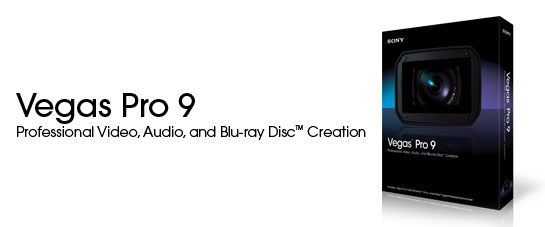
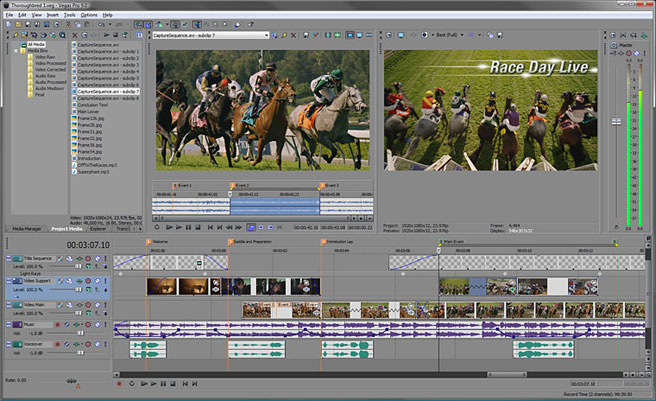
The Vegas Pro 9 collection integrates two powerful applications that work seamlessly together to provide an efficient and intuitive environment for video and broadcast professionals. This comprehensive suite offers the most robust and progressive platform available for content creation and production. With broad format support, superior effects processing, unparalleled audio support, and a full complement of editorial tools, the Vegas Pro 9 collection streamlines your workflow. From acquisition to delivery, from camera to Blu-ray Disc™, the Vegas Pro 9 collection delivers exactly what you need to produce outstanding results.

Vegas Pro 9 offers h.264 codec for video compression built in to this video editing program

Precise Editing Tools

Edit SD or HD video with drag-and-drop functionality, mouse and keyboard trimming, and ripple editing. Features include ProType Titling technology, multicamera editing tools, 32-bit floating point video processing, customizable window layouts, color-coded snapping, improved HDV/SDI/XDCAM support, Cinescore plug-in support, A/V synchronization detection and repair, and auto-frame quantization. More about video editing

Efficient, Professional Workflow for 32- and 64-bit systems

The Vegas Pro 9 interface provides a fully customizable workspace for accomplishing a wide range of production requirements. Dock multiple windows across multiple monitors, and save your layouts to fit specific editing tasks; nest Vegas projects within the timeline, customize and save keyboard commands, and use application scripting to automate repetitive tasks. System-wide media management produces maximum efficiency. Network rendering saves time by using multiple computers and networked drive arrays to render complex projects. Vegas Pro software also supports 24p, HD and HDV editing. More about the Vegas Pro workflow

Broad Format Support

Vegas Pro 9 software natively supports the newest professional camcorder formats including XDCAM EX and RED. Vegas Pro 9 software also includes support for still images greater than one gigapixel in resolution. Use Pan and Scan to create a stunning movie sequence from these large pictures while maintain HD resolution. More about the Vegas Pro Capture and Import

Superior Audio Control

Use unlimited tracks, 24-bit/192 kHz audio, punch-in recording, 5.1 surround mixing, effects automation, and time compress/expand. Apply customizable, real time audio effects like EQ, Reverb, Delay, and more. Expand your audio processing and mixing options with supported third-party DirectX® and VST audio plug-ins. Use the Mixing Console for precise audio control. More about audio production

Powerful Blu-ray Disc Authoring

Burn movies to Blu-ray Disc™ directly from the Vegas Pro timeline for high-definition delivery. Use DVD Architect Pro software (included with the Vegas Pro collection) to author DVDs or Blu-ray Disc media with multiple video angles, subtitles, multiple languages, and special features. Preview and test your work in real time. Apply Brightness and Contrast, Auto Levels, Crop, and Anti-Flicker filters. Set CSS and Macrovision® copy-protection flags for masters. More about Blu-ray Disc authoring

Interactive Tutorials

Vegas Pro 9 software has a comprehensive help system, as well as detailed interactive tutorials that provide walk-through demonstrations of common features and functionality. These tutorials provide an easy step-by-step method of learning the product and the workflow necessary to complete most common tasks.

รหัส vm09

ราคา 200 b.
1free1 ( แถมสินค้าที่มีมูลค่า ไม่เกิน 100 บาท )
***แถมโปรแกรมแปลงวีดีโอ Format Factory 1 ชุด และ Safari เล่นเน็ตมันๆๆ ****

***รายการสินค้านี้ ไม่ร่วมโปรโมชั้นอื้น ถือเป็นโปโมชั้นในตัวอยู่แล้ว (ไม่สามารถลดราคาจากโปรโมชั้นอื้นได้)
-------------------------------------------------------------------------------------------------------------------------------------------------------------------
---------------------------------------------------------------
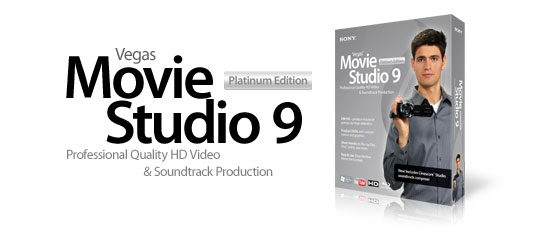

Professional-Level Power for Your Home Studio
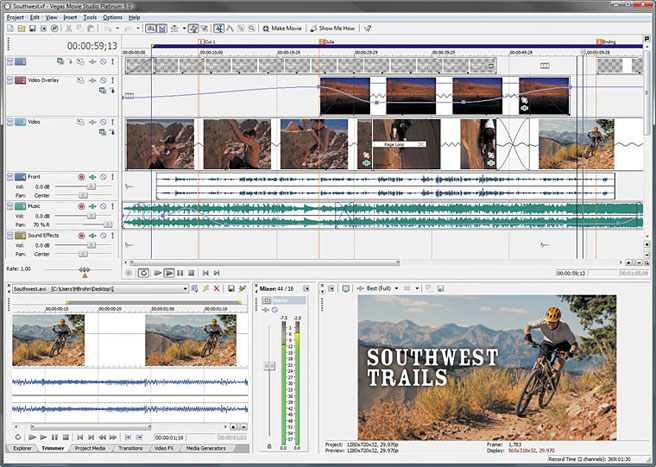
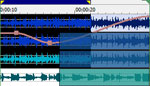
Video editing, audio production, and DVD authoring come together in a single, powerful solution. Vegas Movie Studio Platinum Edition software has everything needed to produce high-quality movies, corporate videos, wedding DVDs, and more. Easily edit video in almost any format including high definition. Powerful tools for video compositing, color correction, and surround sound mixing help you get feature-film results in your home studio. With integrated DVD authoring, Blu-ray Disc burning, and multiple options for online posting, you can deliver projects however you or your clients desire.


The Platinum Difference

Vegas Movie Studio Platinum software has everything that Vegas Movie Studio software has and more. You still get the easy drag-and-drop video editing, integrated DVD layout and burning, and Show Me How interactive tutorials. Plus, Vegas Movie Studio Platinum software provides added features and advanced editing tools such as:
  • HD video editing: HDV and Sony AVCHD
  • 5.1 surround sound mixing and encoding
  • Direct export to Sony PSP™ (PlayStation®Portable)
  • Advanced 3-wheel primary color correction tools

Vegas Family Comparison

From HDV Camera to Screen in 3 Easy Steps

Capture Edit Share

Capture & Organize

Capture DV, HDV, and photos directly from digital devices. Import Sony AVCHD video from your hard drive. Search, sort, and view your media with the Explorer window.

Edit & Enhance

Simply drag and drop to create movies and slideshows with effects, transitions, titles, and credits. Make changes on the fly and see the results in real time.

Save & Share

Powerful tools let you author DVDs or burn movies to Blu-ray Disc™. Share movies on PSP®, iPod®, and other portable devices.


Create Stunning HD Movies

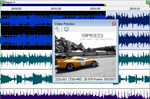
Vegas Movie Studio Platinum software has everything you need to produce movies in spectacular high definition. Editing HD is simple; just drop your clips on the timeline and go to work. Its high-performance engine is beyond fast—see your changes happen in real time. You can even work simultaneously with standard-definition and high-definition video in the same project. When you're done, export your movie in a variety of HD formats for easy sharing.


Share HD Movies on Blu-ray Disc™

Vegas Movie Studio Platinum software makes it easy to share your high-definition movies on Blu-ray Disc™. Burn your movie to Blu-ray Disc™ directly from the Vegas Movie Studio Platinum timeline.


Sony AVCHD Support for HD Video EditingEdit Sony AVCHD

Sony AVCHD is the newest HD video format on the market. Currently there are very few software products that can offer AVCHD editing. With Vegas Movie Studio Platinum software you can easily import and edit Sony AVCHD in a matter of seconds.


Surround Sound Mixing and Encoding

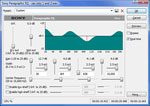
Import multichannel (5.1) source files from your camcorder including Sony® DVD and AVCHD Handycam® models. Use the surround sound mixing and panning tools to create surround DVD soundtracks. Encode AC-3 stereo or 5.1 mixes without leaving the software using the included Dolby® Digital AC-3 encoding software.


Video Restoration Tools

Advanced color correction tools enhance washed-out footage, make specific colors stand out, and balance differences in video due to camera setup or lighting. Image restoration tools remove red-eye from photos.


Add Professional Effects

Enhance your video with hundreds of professional 2Dand 3D video effects, titles, and filters, maker of professional video effects plug-ins. Customize your soundtrack with over 20 real-time DirectX® audio effects.


รหัส vm01

ราคา 175 b.
1free1 ( แถมสินค้าที่มีมูลค่า ไม่เกิน 100 บาท )
***แถมโปรแกรมแปลงวีดีโอ Format Factory 1 ชุด และ Safari เล่นเน็ตมันๆๆ ****

***รายการสินค้านี้ ไม่ร่วมโปรโมชั้นอื้น ถือเป็นโปโมชั้นในตัวอยู่แล้ว (ไม่สามารถลดราคาจากโปรโมชั้นอื้นได้)
---------------------------------------------------------------------------------------------------------------------------------------------------------------------------------------------------------------------------------------------------------------------------------------------------------------------------------------------------------------
VideoStudio Pro X2 - Video editing & DVD authoring with high-definition support

Video editing and DVD creation in HD

Corel VideoStudio® Pro X2 is an all-in-one video-editing software for creating high-quality HD and standard-definition movies, slide shows and DVDs. Edit video or photos quickly and easily using the Movie Wizard, or take full control with hands-on creative tools. Even paint, write or draw on your video. Burn your movies on DVDs, or high-definition AVCHD™ and Blu-ray discs. Share on PSP®, iPod® or iPhone®, upload directly to YouTube™. Watch your movies on set-top players or with the included Corel® WinDVD®.

Also available: VideoStudio X2

Which version is right for you?

VideoStudio Pro X2
SALE ENDS MAY 31!
Order by phone: 1-877-582-6735
Full $99.99 $59.99 USD
Upgrade $59.99 USD

Overview

VideoStudio® is easy-to-use video editing and disc authoring software for creating professional-looking videos and slide shows. Produce complete movies with the time-saving Movie Wizard or use easy editing tools. Share your creation in any format from DVD to mobile phones to the latest high-definition home theater systems. Even upload directly to YouTube™ to let the whole world in on the fun.

  • Grab photos and video from anywhere – camcorders, cameras or TV
  • Edit with the easy Movie Wizard, or with hands-on professional editing tools
  • Make movies pop by adding titles, music and special effects
  • Create movie & slideshow discs to share with family and friends


What's New

Easier & more intuitive editing

  • Create video/audio cross-fades by simply dragging clips over each other
  • Resize interface windows to suit your needs
  • Apply effects more easily and accurately with larger dialog boxes and controls.
  • Trim clips quickly directly in the library

More creative options

  • Draw, paint or write freehand on video with the unique new Painting Creator. For example, trace a family vacation on the map
  • Add transitions to overlay tracks for sophisticated picture-in-picture effects
  • Apply auto pan & zoom to photos individually or in groups
  • Add background shapes to titles to make them stand out more
  • Recreate the appealing look of true cinema and old film with NewBlue Film Effects

More content

  • Jumpstart your creativity with new templates for movies and DVD menus
  • Movie Wizard and disc menu templates have been added in standard and high-definition formats
  • Make your movies pop with new overlay objects, frames and Flash animations

More sharing

  • Uploading to YouTube ™ is easier, faster and more powerful. Sign in to your YouTube account directly and encode your movies in FLV for the best quality
  • Create high-definition AVCHD ™ discs using standard DVDs and burners
  • Take your videos to new places with support for Apple ® iPhone®

Next-generation HD

  • Capture and import from AVCHD, Blu-ray Disc® and JVC® HD camcorders
  • Edit HD video quickly and smoothly with enhanced Smart Proxy editing
  • Render faster with improved MPEG encoding performance
  • Enjoy enhanced performance with support for Intel® quad-core technology
Render 30 mins AVCHD film (1440x1080)

รหัส vm02

ราคา 175 b.
1free1 ( แถมสินค้าที่มีมูลค่า ไม่เกิน 100 บาท )
***แถมโปรแกรมแปลงวีดีโอ Format Factory 1 ชุด ****
***รายการสินค้านี้ ไม่ร่วมโปรโมชั้นอื้น ถือเป็นโปโมชั้นในตัวอยู่แล้ว (ไม่สามารถลดราคาจากโปรโมชั้นอื้นได้)
---------------------------------------------------------------------------------------------------------------------------------------------------------------------------------------------------------------------------------------------------------------------------------------------------------------------------------------------------------------

Sony : Vegas Pro 8 !!

ถึงจะเดามาก่อนแล้วว่า Vegas 8 คงจะต้องมาในเร็ววันนี้เพราะก่อนหน้านี้ไม่นาน Sony เพิ่งจะออก version ใหม่สำหรับ Vegas Movie Studio ให้เป็น V.8 แต่พอวันนี้มาเห็นข่าวจากที่ KVR Audio ก็ยังอดตื่นเต้นไม่ได้กับ Version 8 ที่ Sony เพิ่มคำว่า Pro เข้ามาในชื่อด้วย ในลักษณะเดียวกับที่ Apple ทำกับ Logic และ Soundtrack
Sony Vegas Pro 8

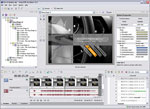
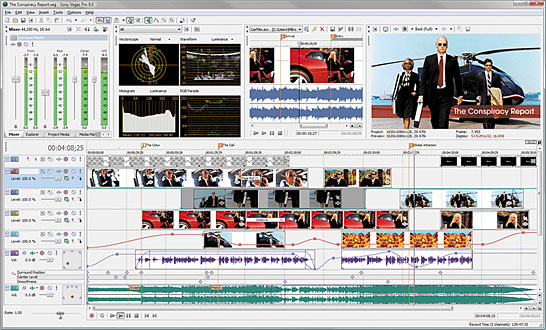
Vegas Pro 8 เป็น package ที่รวม 3 software อยู่ด้วยกัน ได้แก่ Vegas Pro 8 (NLE edit), DVD architect Pro 4.5 (DVD authoring) และ Dolby AC-3 encoder ซึ่งดูแล้วน่าจะเป็น Solution ที่จบงานได้เลย สังเกตดูจะเห็นได้ว่า DVD Architect ก็เป็นอีกหนึ่งตัวที่โดนเติมคำว่า Pro ลงไปในชื่อด้วย รายละเอียดทั้งหมดทาง Sony ให้เอาไว้เยอะพอสมควรบน SonyCreativeSoftware.com ลองแวะเข้าไปดูกันครับ ตรงนี้ผมขอยก screenshot มาแปะให้ดูกันนิดๆหน่อยๆก่อน

Sony Vegas Pro 8


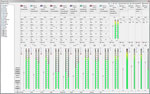
DVD Architect Mixing Console Window

ดู จาก ScreenShot ของตัว Vegas Pro 8 แล้วก็ดูน่าตื่นตาตื่นใจดี โดยเฉพาะในหน้า Mixing Console ที่น่าจะช่วยให้ทำงานด้าน audio บน Vegas ได้สะดวกมากขึ้น แถมยังสามารถ Mix Surround ได้ด้วย ถ้ายังจำกันได้ Vegas ใน version แรกๆนั้นถูกวางไว้ให้เป็น audio workstation มาก่อนที่จะเปลี่ยนมาเป็น NLE software เต็มตัว แต่ให้ลองสังเกตดูว่า screenshot ของ DVD architect นั้นยังเป็น V.4 อยู่เลย Sony ยังไม่เอารูปของ V4.5 ออกมาให้ได้เห็นกัน คงต้องรอติดตามกันต่อไปครับ

ณ ตอนนี้ Vegas Pro 8 นี่ยังไม่ออกมาวางตลาด และก็ยังไม่มีขึ้นเป็น Trial ให้ download ด้วย โดยจะออกวางตลาดจริงในวันที่ 10 กันยายนนี้ ราคา MSRP จะอยู่ที่ 699.95 USD แต่สำหรับ version ภาษาเยอรมัน, ฝรั่งเศส, สเปน และ ญี่ปุ่น จะออกวางในช่วงเดือนพฤศจิกายนปีนี้ ถ้าจะมองถึงสิ่งที่น่าห่วงสำหรับผมก็คือ มันจะมี version เพื่อการศึกษาออกมาให้ใช้ไหม เพราะดูอย่าง Sound Forge 9 ก็ยังไม่มีออกมาเลย


รหัส vm03

ราคา 150 b.

--------------------------------------------------------------------------------------------------------------------------------------------------------------------------------------------

Adobe Audition 3 สุดยอดแห่งดนตรีทำได้หมด

เช่น ลบเสียงคนร้องได้กลายเป็น karaoke

Sound your best

Recording, mixing, editing, and mastering — Adobe® Audition® 3 software is the all-in-one toolset for professional audio production.

Use Adobe Audition 3 to:

  • Create your own music
  • Record and mix a project
  • Produce a radio spot
  • Clean up audio for a movie
  • Compile and edit a soundtrack

Whatever you do with audio, Adobe Audition 3 software helps you sound your best.

Audition 3

Adobe Audition 3

Datasheet (PDF, 189k)


Top features in Adobe Audition 3

VSTi virtual instrument support

Enjoy support for a wider range of virtual instruments. Simply add a MIDI host track to your mix, choose an instrument, and then record new audio in the Sequencer.

Improved multitrack editing

Save time and increase accuracy by editing grouped clips together. Auto-crossfade clips in multitrack view to quickly mix files together. Click-and-drag fade handles on multitrack clips and in the Edit View for faster editing.

Enhanced spectral editing

Make a free-form selection in frequency space with the Effects Paintbrush and apply effects in varying degrees to that selection. Smooth over a selected region to automatically repair clicks, pops, and other noises using the Spot Healing Brush.

Top/Tail Views

Need a quick and easy way to tweak the start and end of a loop or other audio file? The new Top/Tail Views allow you to zoom into the beginning and end of a file so you can quickly add precise fades while keeping the whole file in view.

New effects

Adobe Audition 3 includes new effects such as Convolution Reverb, Analog Delay, Mastering tool, Guitar Suite, and Tube-modeled Compressor.

Superior performance

Get superior performance and take advantage of the new multicore processors. The optimized mix engine allows for more tracks and effects on the same machine, offering more variety and faster processing.

Adobe Audition or Soundbooth?

Both Adobe Audition and Adobe Soundbooth® CS4 audio software are designed for high-quality results. But which one is right for you?

Buy Adobe Audition if:

You are a sound designer, musician, recording engineer, mastering engineer, or other audiocentric professional and you need an all-in-one toolset for professional audio production.

Buy Adobe Soundbooth if:

You are a designer or developer with little or no background in audio and you need an intuitive, easy-to-use software tool to help you quickly accomplish everyday audio tasks.


รหัส p-pc020

ราคา 90 บาท
..............................................................................................................................................................................................

Adobe Photoshop CS4

Design Premium Web Premium Production Premium Master Collection
Adobe Creative Suite 4 Design Premium
InDesign CS4
Photoshop CS4 Extended
Illustrator CS4
Flash CS4 Professional
Dreamweaver CS4
Fireworks CS4
Acrobat 9 Pro
Adobe Bridge CS4
Adobe Device Central CS4
Version Cue CS4
Adobe Creative Suite 4 Web Premium
Dreamweaver CS4
Flash CS4 Professional
Photoshop CS4 Extended
Illustrator CS4
Fireworks CS4
Acrobat 9 Pro
Soundbooth CS4
Contribute CS4
Adobe Bridge CS4
Adobe Device Central CS4
Version Cue CS4
Adobe Creative Suite 4 Production Premium
After Effects CS4
Adobe Premiere Pro CS4
Photoshop CS4 Extended
Flash CS4 Professional
Illustrator CS4
Soundbooth CS4
Adobe OnLocation CS4
Encore CS4
Adobe Bridge CS4
Adobe Device Central CS4
Dynamic Link
Adobe Creative Suite 4 Master Collection
InDesign CS4
Photoshop CS4 Extended
Illustrator CS4
Acrobat 9 Pro
Flash CS4 Professional
Dreamweaver CS4
Fireworks CS4
Contribute CS4
After Effects CS4
Adobe Premiere Pro CS4
Soundbooth CS4
Adobe OnLocation CS4
Encore CS4
Adobe Bridge CS4
Adobe Device Central CS4
Dynamic Link
Version Cue CS4
Compare suite editionsWhich edition is right for meCS4 for education
Adobe Photoshop CS4
Which suite edition is it in?

Creative Suite 4 Design Standard

Get Photoshop as part of Design Standard

Master deadlines in design and print production

Compare suite editions

Why buy a suite edition?
What can I upgrade to?
What are my purchasing options?

Create powerful images with the professional standard

Adobe® Photoshop® CS4 software provides improved access to its unrivaled power through a more intuitive user experience, greater editing freedom, and significant productivity enhancements.

Did you know…

Images can be adjusted in half the time

According to independent third-party research, making several adjustments in Photoshop CS4 using the new Adjustments panel is more than twice as fast as using Adjustment Layers in previous versions to achieve the same results.

See top time-savers

Read the third-party report (PDF, 8MB)


There's a solution for pro photographers

Buy Photoshop and Adobe Photoshop Lightroom® 2 software together and you can import, process, manage, edit, composite, and showcase your images — and save 30% on Lightroom.
Learn more

Education discounts are available

As a student or educator, you qualify for education pricing. See the full list of products available for purchase.
View the price list

Photoshop supports the DNG raw format

The DNG format helps promote archival confidence, since digital-imaging software solutions will be able to open your raw files more easily in the future.
Learn more


รหัส ap01

ราคา 150 b. 1free1 ( แถมสินค้าที่มีมูลค่า ไม่เกิน 100 บาท )
***รายการสินค้านี้ ไม่ร่วมโปรโมชั้นอื้น ถือเป็นโปโมชั้นในตัวอยู่แล้ว (ไม่สามารถลดราคาจากโปรโมชั้นอื้นได้)
-----------------------------------------------------------------------------------------------------------------------------------------------------------------------------------------------------------------------------------------------------------------------------------------
-----------------------------------------------------------------------------------------------------------------------------------------------------------------------------------------------------------------------------------------------------------------------------------------------------------------------------------------------

Ulead VideoStudio 11
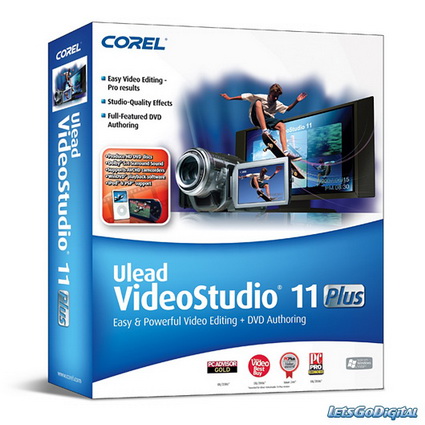


รหัส vm04

ราคา 125 b.
***แถมโปรแกรมแปลงวีดีโอ Format Factory 1 ชุด และ Safari เล่นเน็ตมันๆๆ ****
-----------------------------------------------------------------------------------------------------------------------------------------------------------------------------------------------------------------------------------------------------------------------------------------
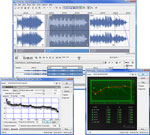
Sound Forge 9 - music production software, music composing software & music recording software

Precision, Stability, Ease, and Speed
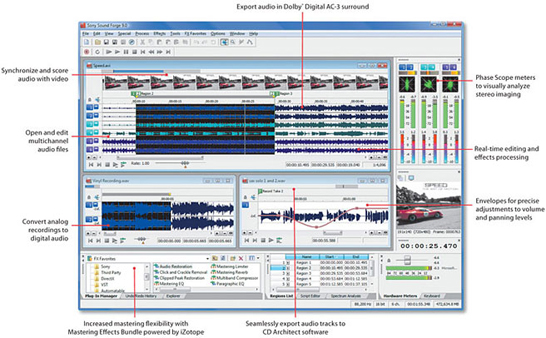
The Sound Forge 9 professional digital audio production suite includes everything you need to quickly get from raw audio to finished master. Use this suite to create and edit stereo and multichannel audio files with speed and precision. Efficiently analyze, record and edit audio, digitize and restore old recordings, model acoustic environments, design sound for multimedia, and master replication-ready CDs.
Sound Forge 9 - mp3 editor - wave editor - audio recording software

Includes Tools for Sound Design and Mastering

In addition to Sound Forge 9 software, this comprehensive audio production suite includes CD Architect 5 software for designing, mastering and burning Red Book audio CDs, Noise Reduction 2 plug-ins to fix common audio problems such as tape hiss, camera hum, clicks, and pops, and the Mastering Effects Bundle powered by iZotope™, a collection of four professional audio plug-ins.

Stereo and Multichannel Recording

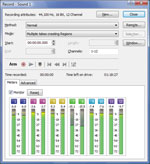
Sound Forge 9 software has a complete set of tools for recording audio. Record straight into your sound card or use the Record Timer to begin and end a session at a specific time and date. Alternatively, you can start recording when a certain audio threshold is reached with Threshold Record Triggering. You can also now record and edit multichannel audio files as easily as stereo files. More About Recording and Playback

Precise Audio Editing

Edit stereo and native multichannel audio files down to the sample level in real time. Use familiar Windows commands to cut, copy, paste, mix, and crossfade audio. Drag and drop to edit between channels, and work on one file while processing others in the background. More About Editing and Workflow

Pristine Sound Quality

Sound Forge software supports full resolution 24-bit and 32-bit/64-bit float 192 kHz files for the ultimate in audio fidelity. Capture the subtle overtones and nuances of instruments, vocals, and effect changes. More General Features

Powerful Effects Processing

Apply over 40 professional studio effects and processes including Normalize, EQ, Delay, Chorus, Volume, Dynamics, Noise Gate, Pitch Shift, Flange, and Vibrato. Chain multiple effects together and apply them to selections or entire files using the Plug-in Chainer. Sound Forge 9 software also supports DirectX and VST effects, including parameter automation, to expand the number of effects you can apply to audio and increase your mastering flexibility. More About Tools and Effects

Audio-for-Video

Sound Forge 9 software supports multiple video formats including AVI, WMV, and MPEG-1 and MPEG-2. Synchronize audio and video frame by frame. Import Flash (SWF) files* to visually synchronize your audio to your project. Sound Forge 9 software includes MPEG-2 templates for writing HDV-compliant files at both 720p and 1080i resolutions. Also included are templates for encoding WMV 720p and 1080p.


รหัส vm05

ราคา 100 b.
***แถมโปรแกรมแปลงวีดีโอ Format Factory 1 ชุด และ Safari เล่นเน็ตมันๆๆ ****
---------------------------------------------------------------------------------------------------------------------------------------------------------------------------------------------------------------------------------------------------------------------------------------------------------------------------------------------------------


Ulead MediaStudio Pro
Home

Please note that this product is not compatible with Windows Vista®.
Check the system requirements to determine if this software is compatible with your computer and operating system. Corel is not planning any future updates to this product.

Ulead® MediaStudio Pro 8 is powerful, versatile and intuitive video editing software, for professionals and enthusiasts in independent production, event videography, business, and education. Integrated, quick-to-master tools take you to the forefront of professional real-time HDV, DV or MPEG editing.


Openings that Rock
Create professional-quality opening sequences or segues instantly- with pre-made masks, frames and moving paths. Export sequences as virtual clips, which can be opened and further tweaked.

Smart Proxy: Real-time HDV
HDV editing, even on mid-range or mobile machines - in real-time! Completely lossless, your final output always links back to the original full-resolution files. The perfect solution for producers shooting HDV, who want to edit on the go.

Extensive HDV Support
Batch capture HDV from all the latest HDV camcorders and decks. Edit HDV either in full-resolution lossless native format. Record your finished HDV projects back to your camera or output to WMV-HD


รหัส vm06

ราคา 100 b.

***แถมโปรแกรมแปลงวีดีโอ Format Factory 1 ชุด และ Safari เล่นเน็ตมันๆๆ ****


Ulead COOL 3D™ Home
Home

Please note that this product is not compatible with Windows Vista®.
Check the system requirements to determine if this software is compatible with your computer and operating system. Corel is not planning any future updates to this product.

Ulead® COOL 3D™ 3.5 allows designers to create high-impact 3D images. Output these 3D images as still graphics, animations, video or Macromedia® Flash™ . Ulead COOL 3D delivers stunning 3D graphics, without the complexities found in other software packages.

Ulead COOL 3D - Buy Now
Ulead COOL 3D - Features
Ulead COOL 3D - Free Trial


Customizable 3D Art in an Instant
With COOL 3D 3.5, your text and shapes are easily customizable into eye-catching 3D. It only takes a couple of clicks to access many convenient features.

Animate and Add Special Effects
Ulead COOL 3D's animation timeline is easy to use, yet powerful. Make your animation stand out with special effects you can drag-and-drop from the EasyPalette™.

3D Vector-based Flash™ Output
Making 3D objects for Macromedia® Flash™ just got easier! Output vector-based Flash with the new EnVector module, a bonus tool for Flash fans.


รหัส vm07

ราคา 80 b


---------------------------------------------------------------------------------------------------------------------------------------------------------------------------------------------


Ulead MediaStudio Pro
Home
Professional 3D Text and Graphics for Video

Please note that this product is not compatible with Windows Vista®.
Check the system requirements to determine if this software is compatible with your computer and operating system. Corel is not planning any future updates to this product.

Ulead® COOL 3D™ Production Studio is a new breed of 3D animation software for high-quality video production. Streamline your 3D text and graphics with advanced tools to produce professional-looking animation.

Ulead COOL 3D Production - Buy Now
Ulead COOL 3D Production - Features
Ulead COOL 3D Production - Free Trial


Sophisticated 3D Objects
Design sophisticated 3D text and objects with intuitive tools. You can use pre-made shapes and styles or create them by scratch. COOL 3D Production Studio imports the most popular 2D and 3D file formats.

Powerful Effects & Animation Control
Drag and drop hundreds of customizable backdrops and animation effects. Apply video backgrounds and add audio to your creations. Use magic, natural texture and particle effects for dynamic-looking animations.

Professional Output
COOL 3D Production Studio exports files out to a variety of formats -- video files, alpha-channel video overlays, Web animations, images, and 3D models. You can also import a COOL 3D Production Studio project file into Ulead video editors' timelines.


รหัส vm08

ราคา 100 b


---------------------------------------------------------------------------------------------------------------------------------------------------------------------------------------------

ไม่มีความคิดเห็น:

แสดงความคิดเห็น